Never explain a bug twice.

Right-click what is broken. The report writes itself: component, screenshot, logs. Nobody asks you where it was.

Right-click the Subscribe button, write the note, save. The pin appears on the page and the note lands on the team board, anchored to SubscribeButton in PricingCard.

Five things travel with every note.

The component, its logs, who wrote it and when, and where on the page it was. That is why nobody has to ask.
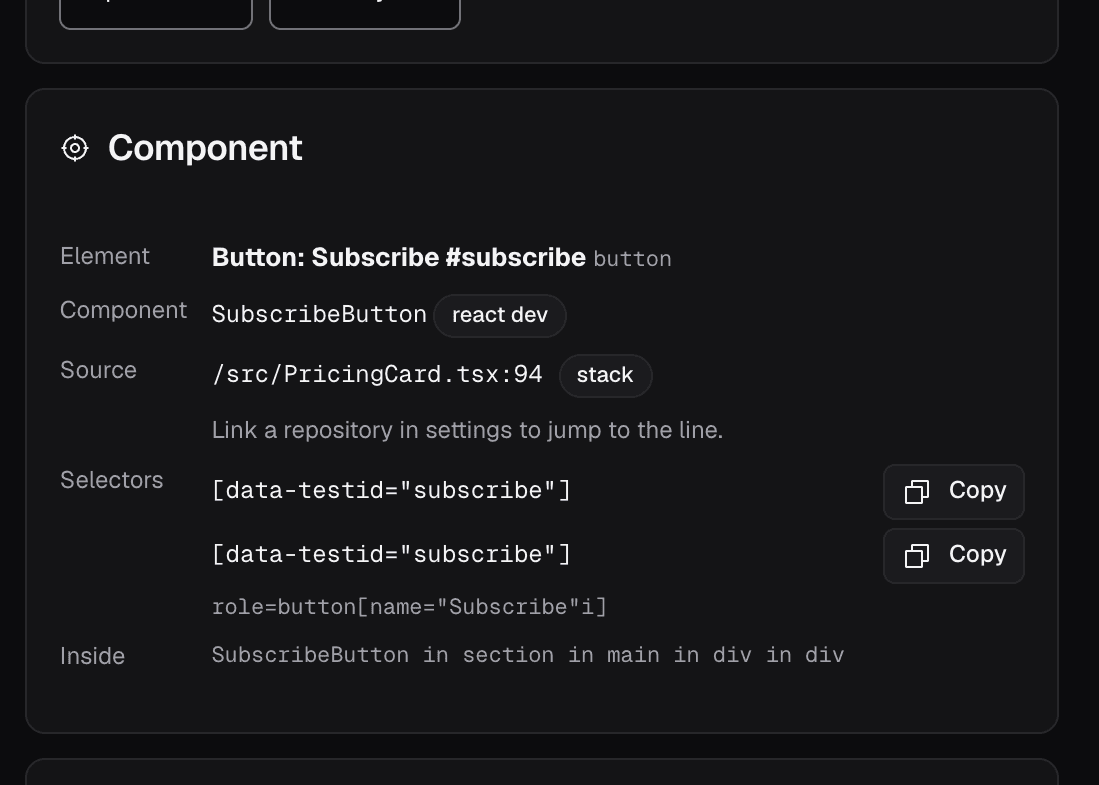
The component block of a real note: element Button Subscribe, component SubscribeButton on a React development build, source /src/PricingCard.tsx line 94, and two verified selectors.

The component, not a guess

A verified selector, the framework component that rendered the element and, on development builds, the file and the line.
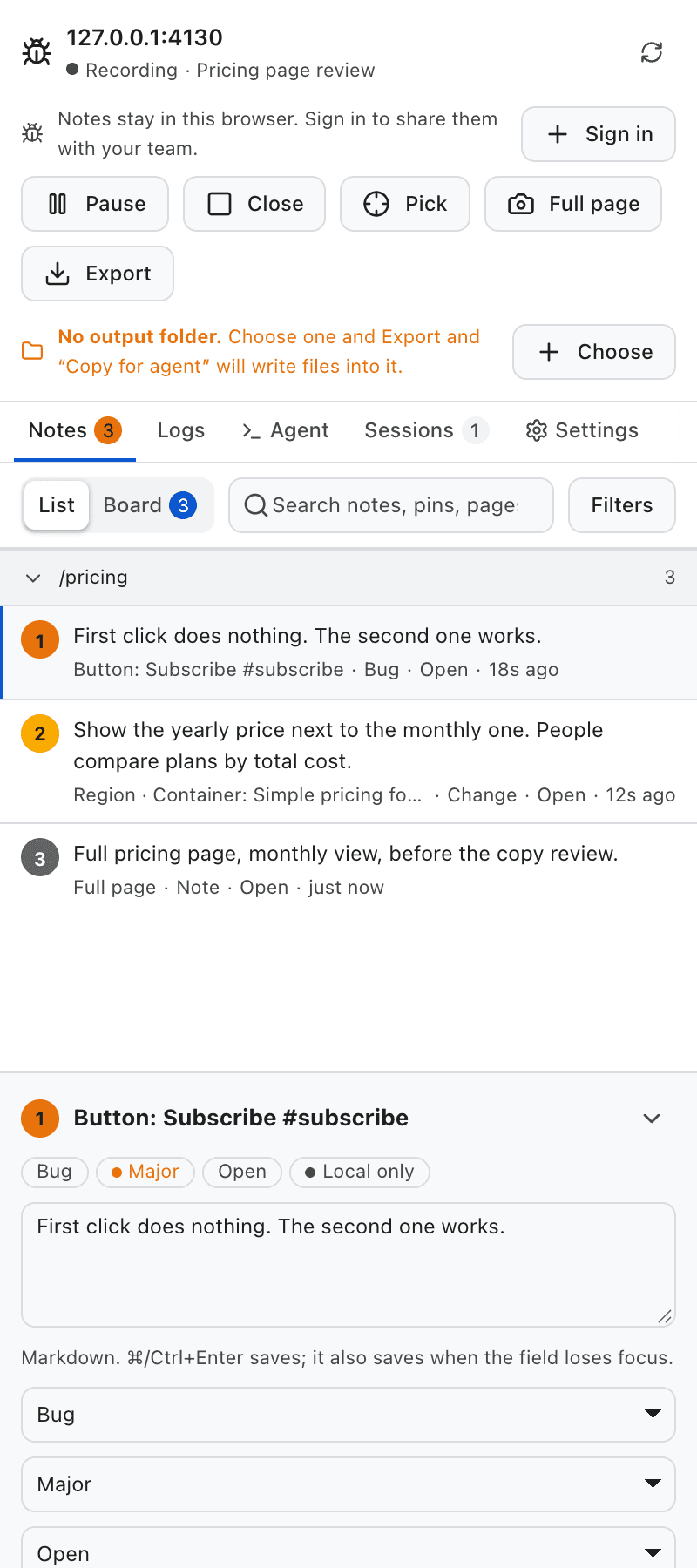
The FrontBug side panel: three notes on the same page, each with its component, type, status and how long ago it was written.

Who, when and where

Author and timestamp on every note. Page, scroll position and viewport too, because layout bugs depend on all three.
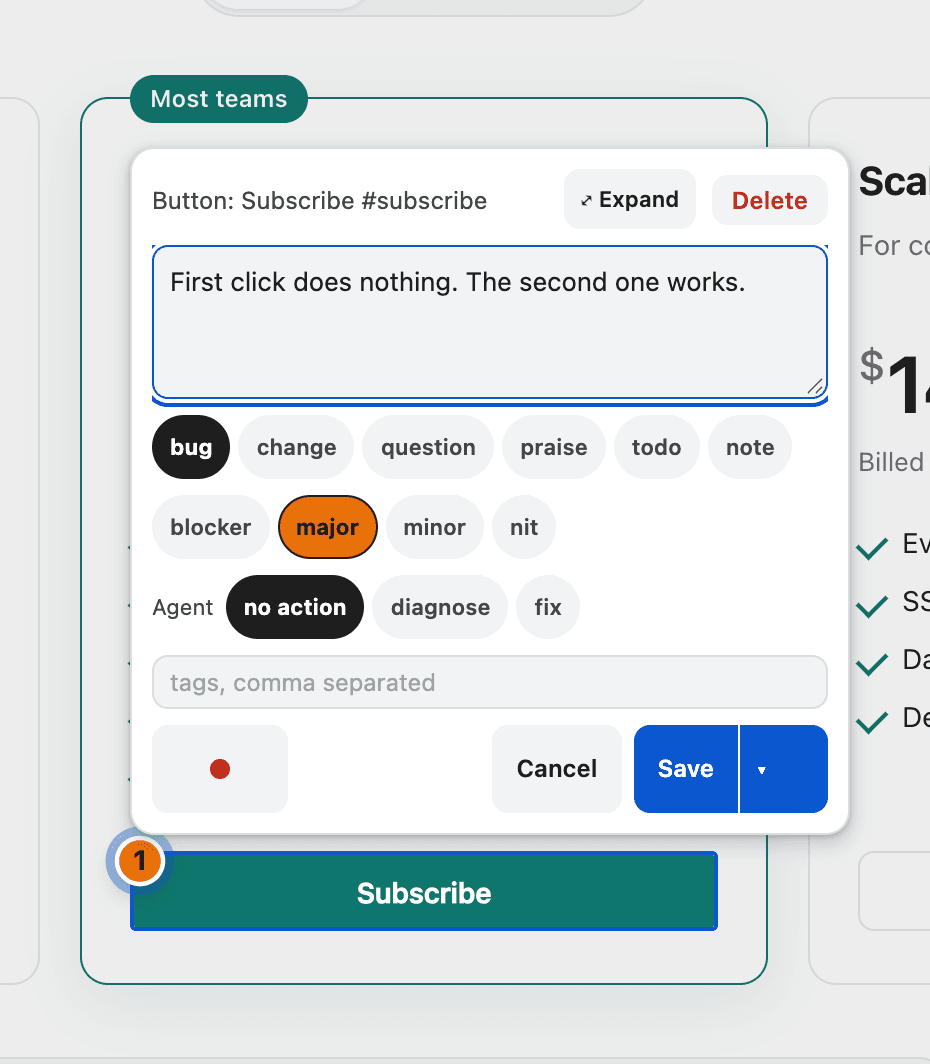
Three ways to point at something.

A pricing page with the Subscribe button outlined and a numbered pin next to it.

An element

Right-click it. The note is anchored to that component and survives a reload.
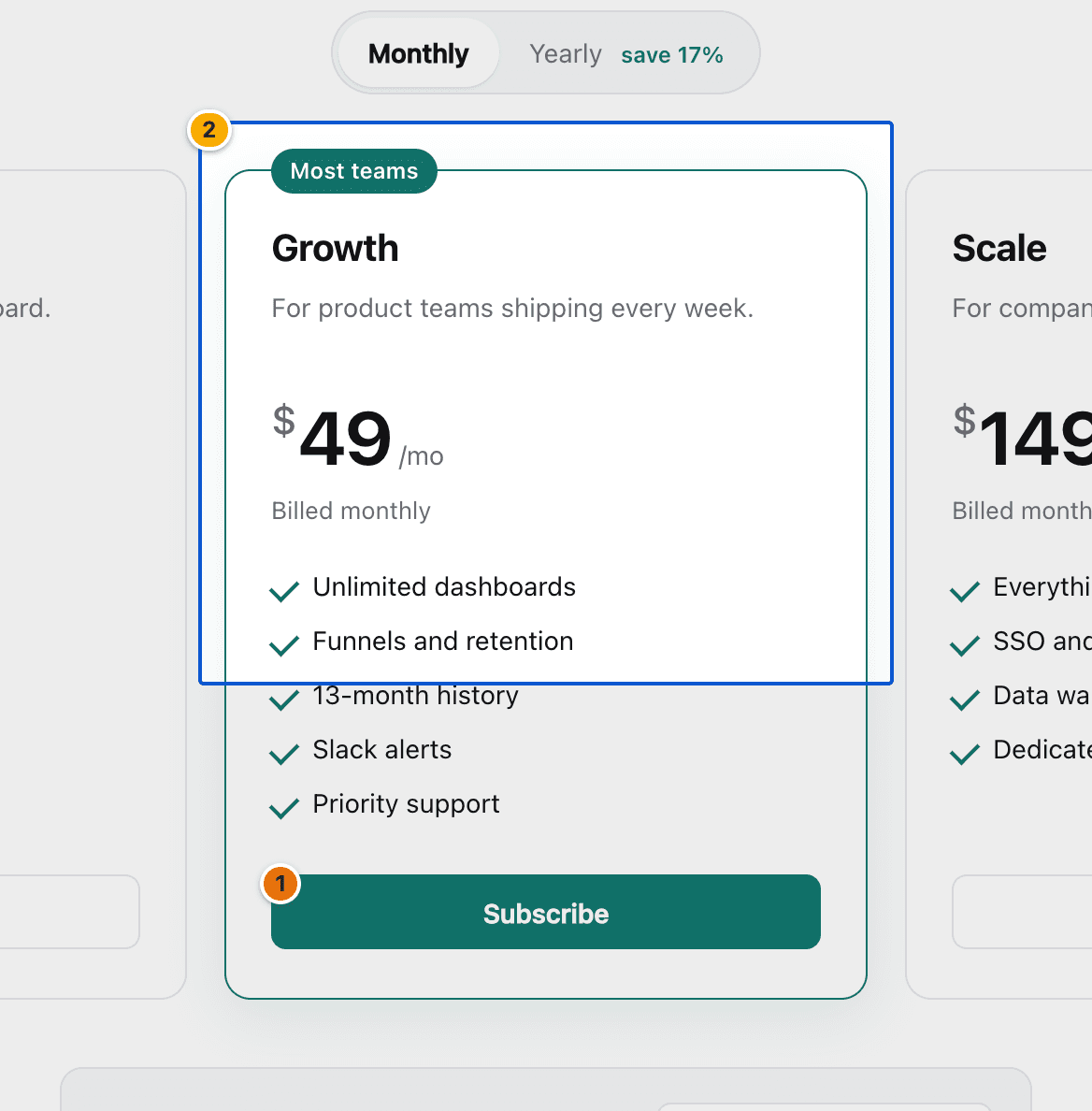
A rectangle drawn over a pricing card, with the components inside it listed in the note.

A region

Drag a rectangle. FrontBug lists every component inside it, ranked by overlap.
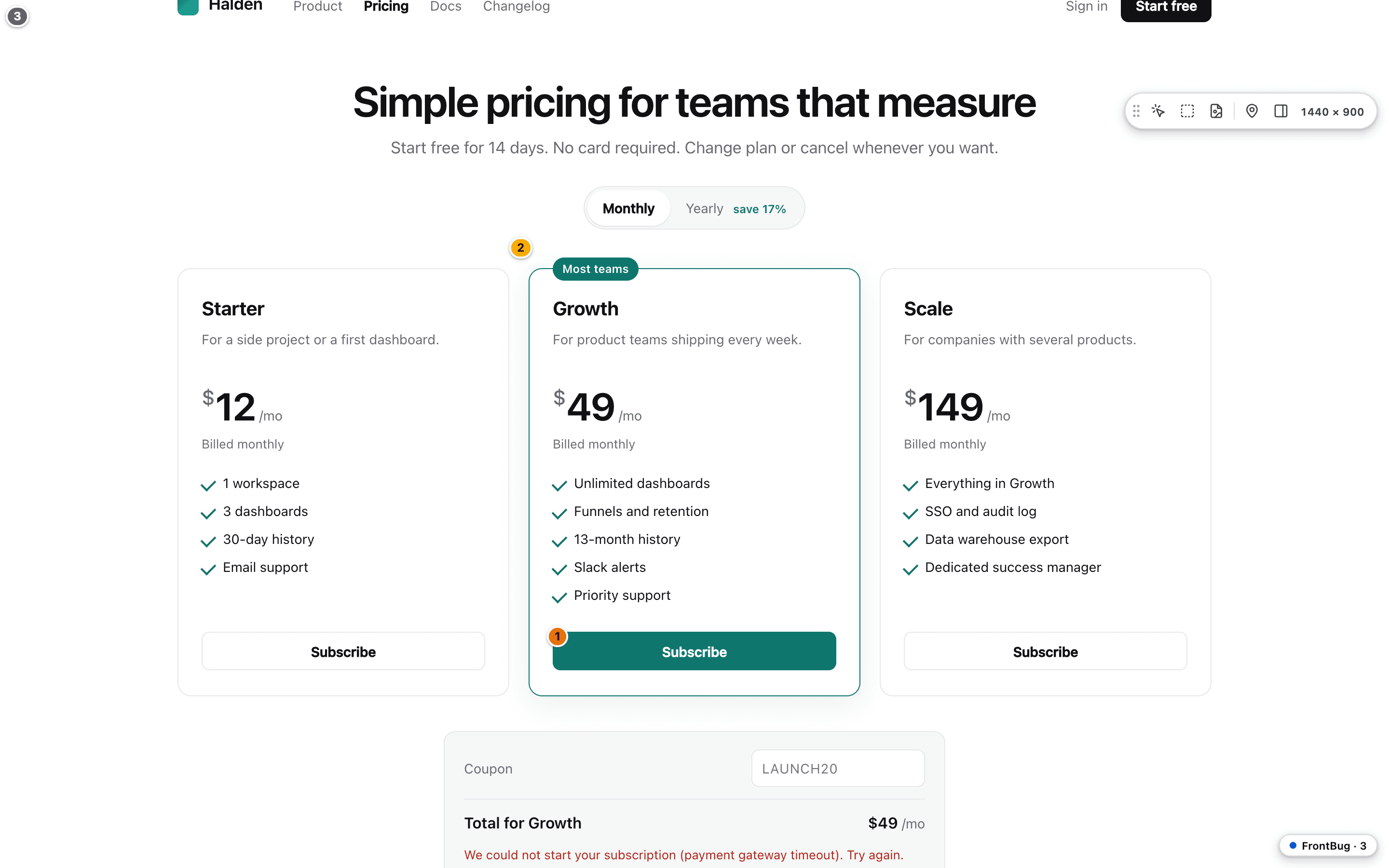
A whole page with three numbered pins on it: one on a button, one on a card, one for the page.

The whole page

Full height in one image, sticky headers handled, with the pins drawn on top.
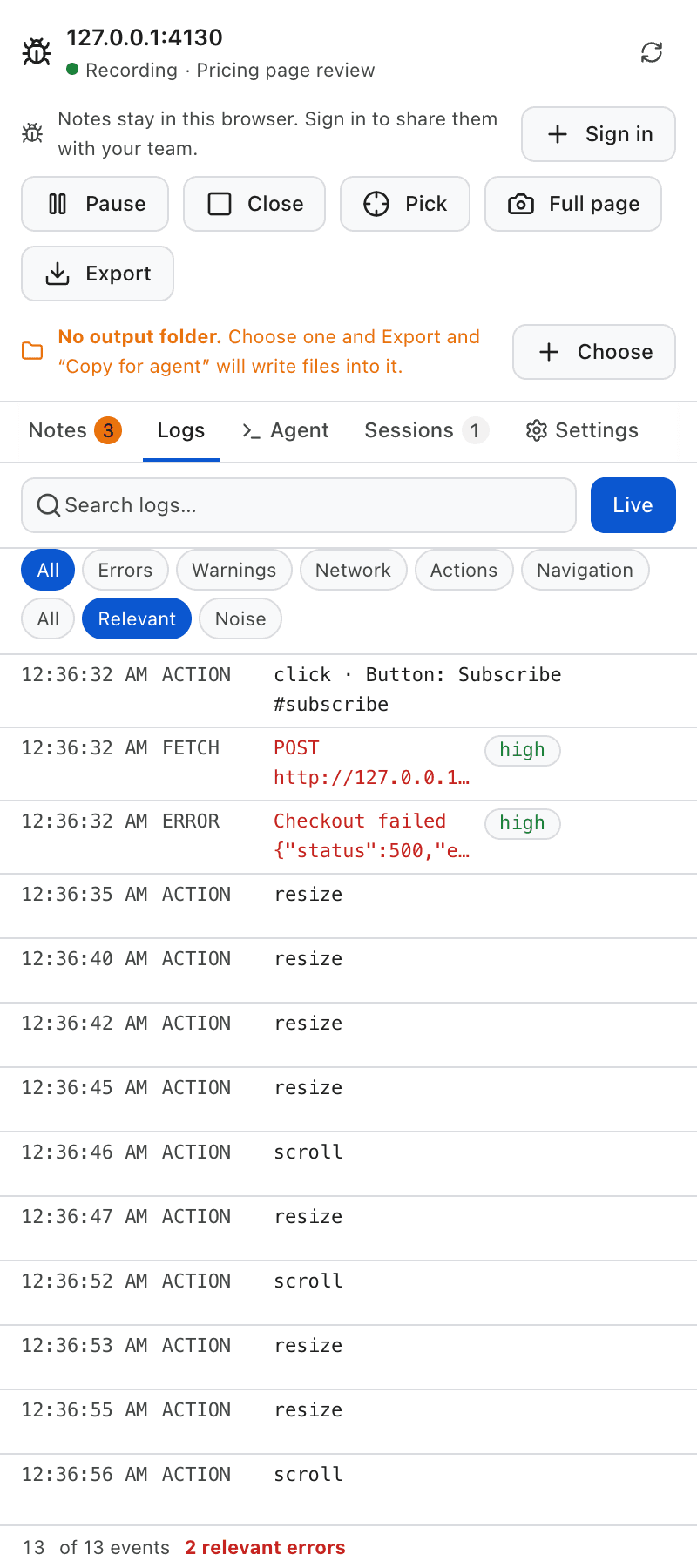
The Logs tab: the click on Subscribe, then a POST to the checkout endpoint and a Checkout failed error, both marked high, and the resize and scroll noise below them.

The error that matters, not every error.

An unconfigured reporter and a missing favicon are not your bug. FrontBug keeps them, groups them by pattern, and puts the first-party failure that followed your click at the top.

Nothing is discarded. The full log is in the bundle.

Works with the network off

Capture, annotate and export on a plane or on a locked-down client network.

Local by default

Everything stays in your browser until you export a bundle or connect a project.

Two people, one artifact

Whoever finds it works next to the page. Whoever fixes it opens a folder that already says which component broke.

What the developer receives.

One folder. Readable on its own, and shaped so a coding agent can work straight from it.

frontbug-app.example.com-2026-09-16/
  • report.mdevery note, with its component and logs
  • report.htmlthe same report, ready to print or send
  • AGENT.mdhow to work through it, for a coding agent
  • notes.jsonthe notes as data, fingerprint included
  • screenshots/elements, regions and full pages, pinned
  • dom/the markup around each note
  • logs/console, network, actions and navigation
  • audio/voice notes, when there are any

Read first

report.md
Every note with its component, source location and log window.
AGENT.md
How to work through the report, for Claude Code or Cursor.

The evidence

screenshots/
Element crops, regions and full pages with the pins drawn in.
notes.json
The same notes as data, with the full component fingerprint.
logs/
Console, network, user actions and navigation, as newline-delimited JSON.

One note, four hands, nothing lost.

A review session is ten notes in ten minutes. Here every note is already a ticket, and every hand that touches it is on the record.

  1. 1

    Ana reviews

    Three notes in two minutes, each anchored to the component that rendered it. The session goes to the project and the team is notified.

  2. 2

    Dani takes one

    Taking it assigns it to him, so nobody else picks up the same work. The board shows who has it and when they last touched it.

  3. 3

    He fixes it, he does not close it

    It lands in To verify, not in Done. Whoever fixes something is the worst person to decide it works.

  4. 4

    Marta verifies on the page

    One click opens the site, jumps to the component and lays the old screenshot over the live one. She sees it, then closes it.
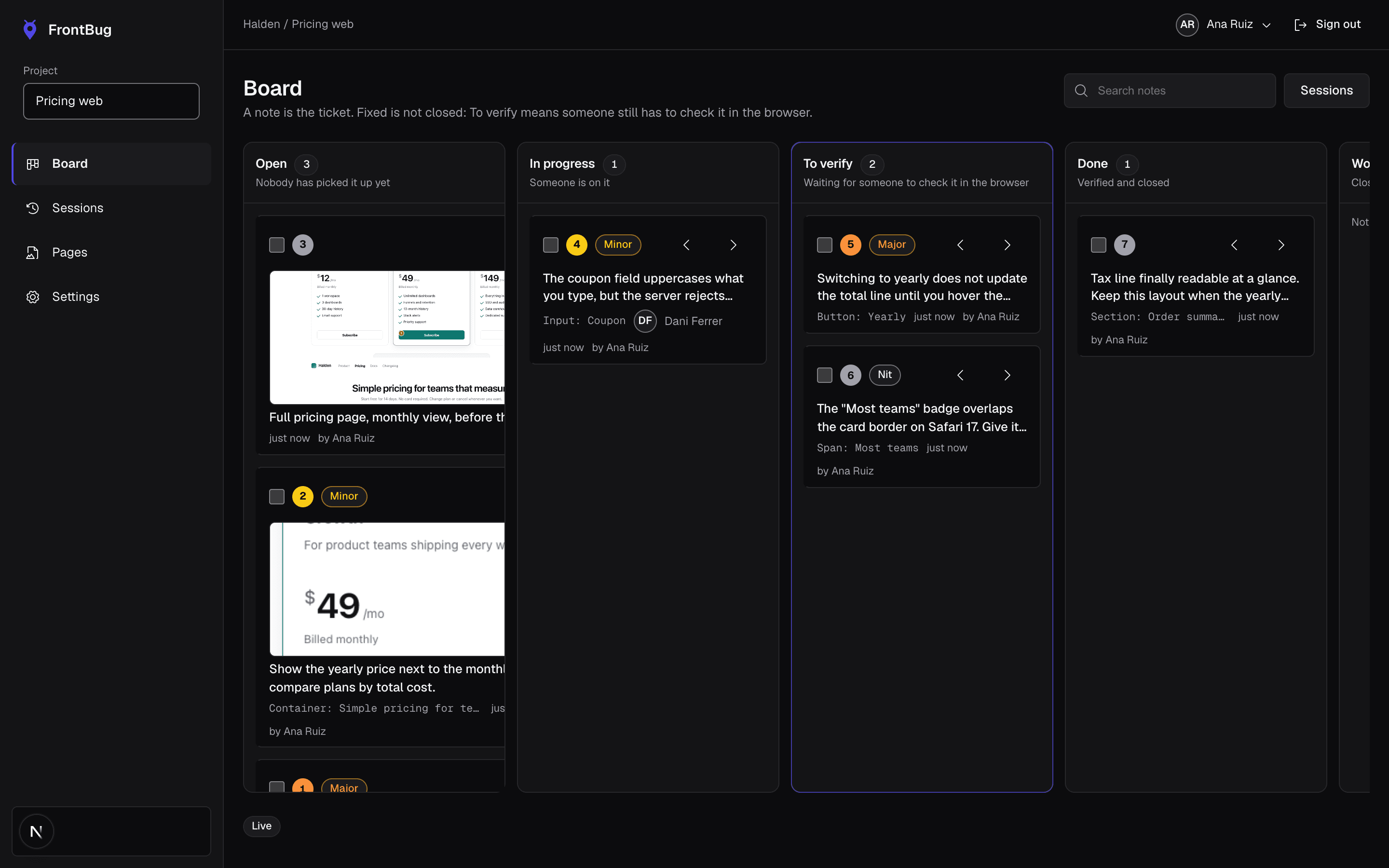
The team board in the hub: notes as cards in Open, In progress, To verify and Done, each with its screenshot, component and owner.

The check happens on the page, not on a description. That is the part a ticket tracker cannot give you.